Immunization Setup
Staff Immunization Setup can be done by the Company Super User and Company Admin, following the path given below: (Figure 1)
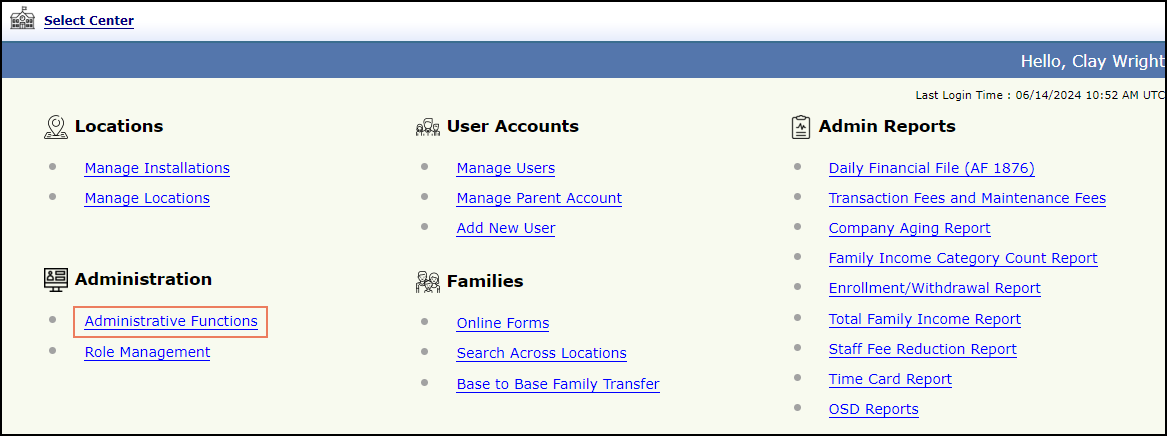
Figure 1 Administrative Functions
Clicking on the Administrative Functions (Figure 1) will direct the user to the Administrative Functions page. (Figure 2)
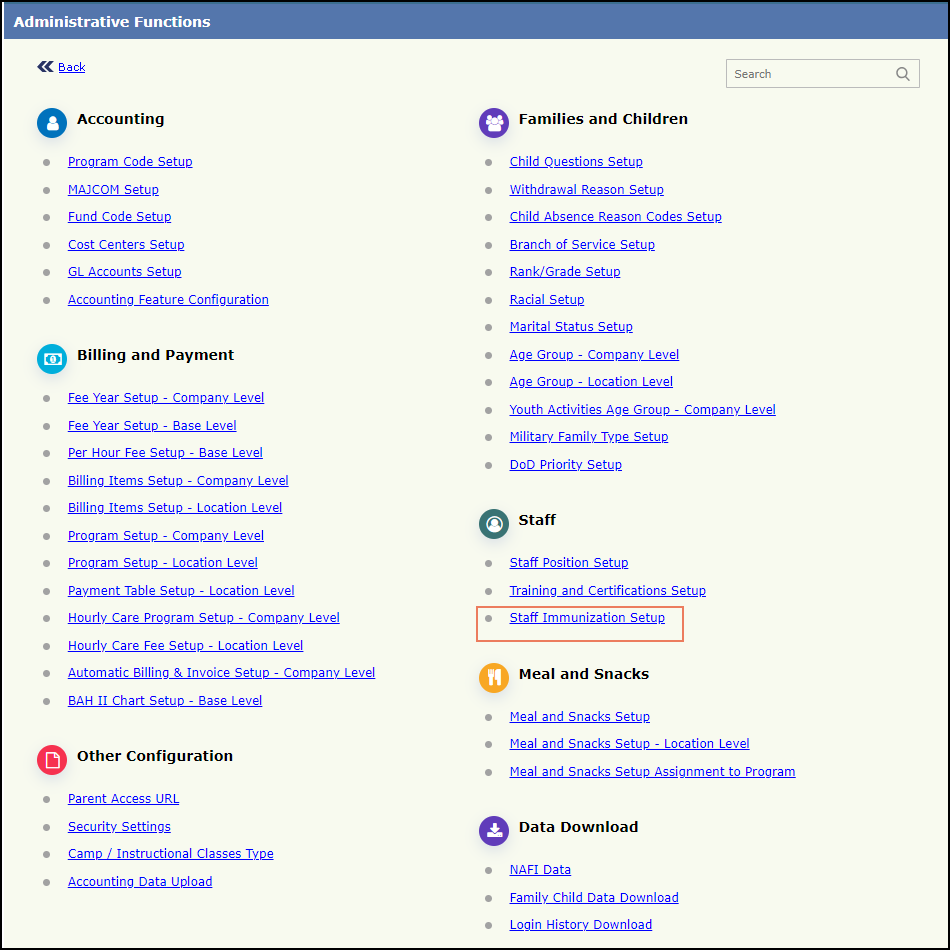
Figure 2 Administrative Functions
Click on the Staff Immunization Setup (Figure 2) under Staff Section will display the Staff Immunization Setup page. (Figure 3).
Here, all the added Immunizations will be listed with the Immunization Name, description, the type of dose, whether it is recurring dose or not, the dosage frequency and the applicable age.
NOTE:
- For the First time, the list will be empty before setting up the immunization. Once we start adding immunizations, they will be added to the list.
- After an immunization is added, hovering over the Description icon will display the description provided for that immunization.
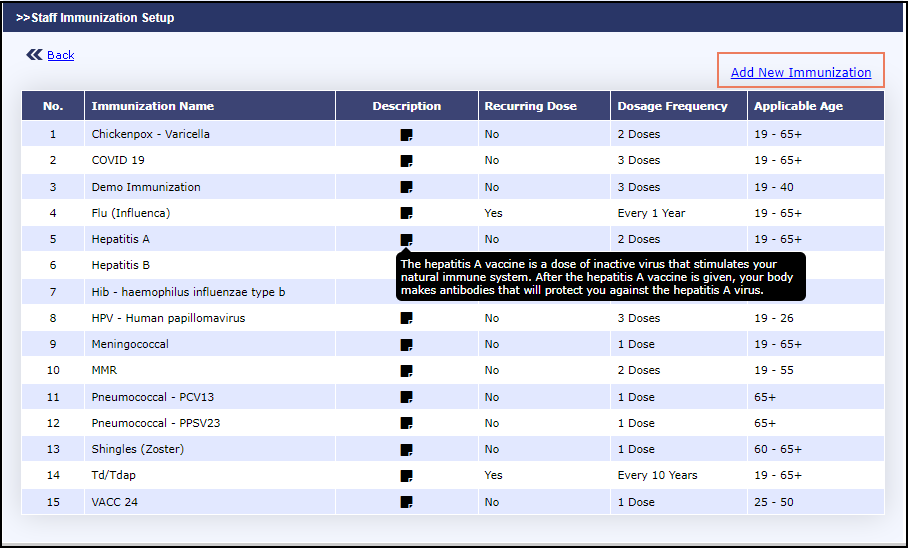
Figure 3 Staff Immunization Setup