Exempt
- For each Immunization dose, exemption can be added by clicking the ‘Exempt’ option under actions. On clicking the ‘Exempt’, the Immunization Exemption pop up (Figure 16) is displayed.
- User views the Immunization Name and can fill out the other fields - Exempt by Dosage / Fully exempted, Exempt Date, Exempt reason, Exemption Notes and if exemption certificate is available that can also be uploaded.
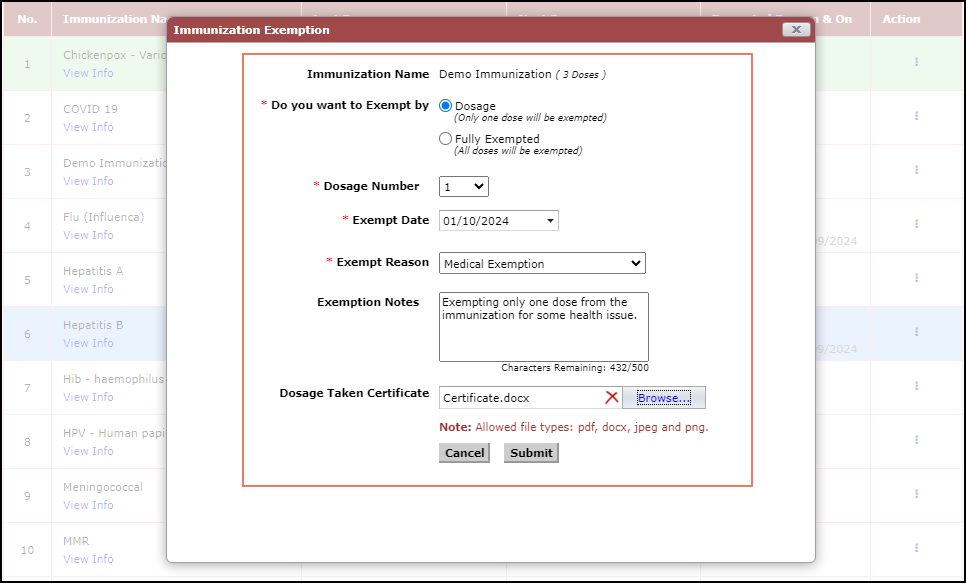
Figure 16 Immunization Exemption
- On clicking the ‘Submit’ button, the Exempted Reason & On field is updated with Exempted Date and on hover exempted reason can be viewed (Figure 17).
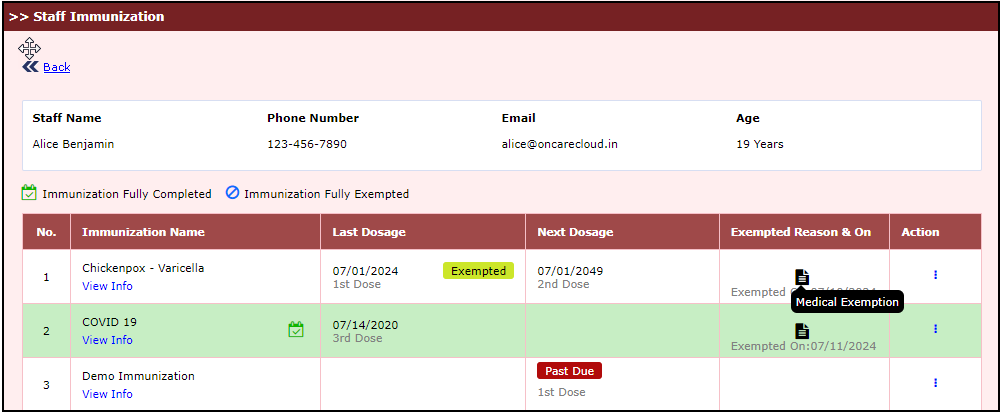
Figure 17 Exempted Reason & On field with reason