
Page Permission
This option enables the user to create permissions for the roles created in the Role Management page. The roles can be given three types of permissions:
- Edit access – allows add/edit/delete operations.
- Read only access – allows only read only operation. (i.e.) data cannot be saved. Respective links/buttons will be disabled.
- No access – allows no access
When a new role is created, by default, all of the modules will be set with “No access”.
To create / update the page permissions,
- Click View / Edit in the Role Management page. The Role Management page 2 will be displayed. For the seven default roles (except for customized role), the link will be named as “View”, for the non-default roles, the link will be named as “Edit”.
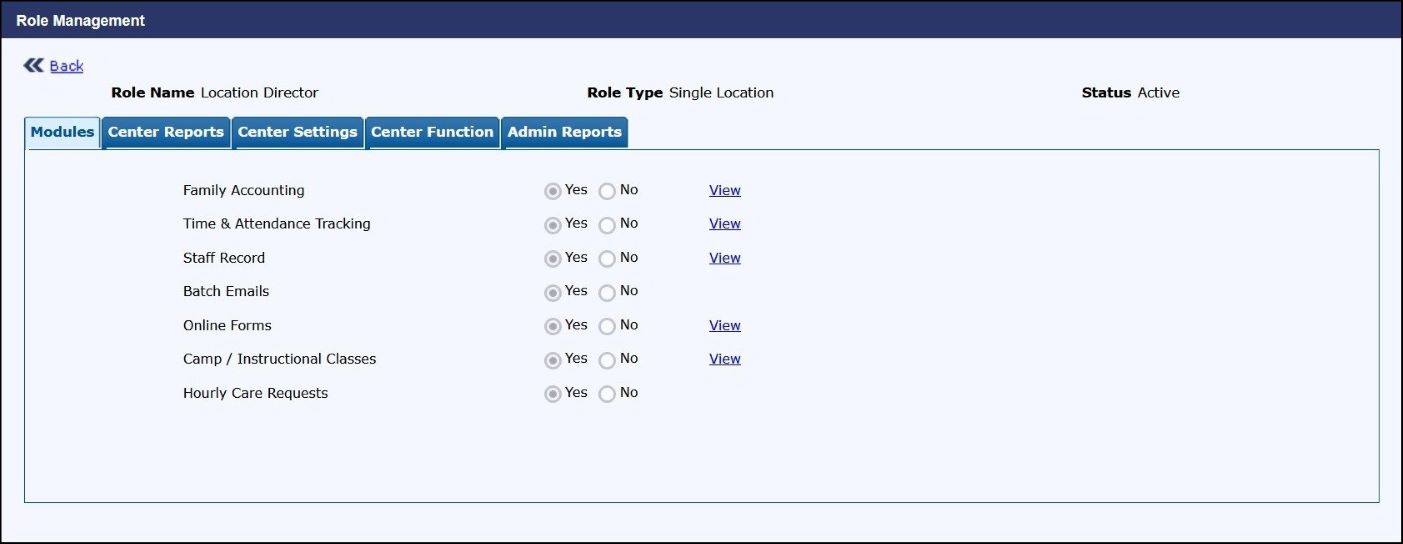
Role Management Page 2
The pages/features will be grouped under the respective module.
- Select the respective module tabs to set permissions for the pages in that module. Module tab will be visible only if it is configured for the company.
- Select the permission for the relevant pages.
- Click Save to save the permissions for that specific module tab. To return to the Role Management page, click Back.