
Cancelled
The registered families with more than one session and status for all the session is in cancelled, will fall under this list.
To View the Cancelled Camp details,
- Click Process Camp / Instructional Classes Registration in the Main Menu Page.
- Chose the relevant camp / instructional classes from the Select Camp / Instructional Classes list and 'Cancelled' from the View list. The Family Registrations Management Page will be displayed with the list families in cancelled status.
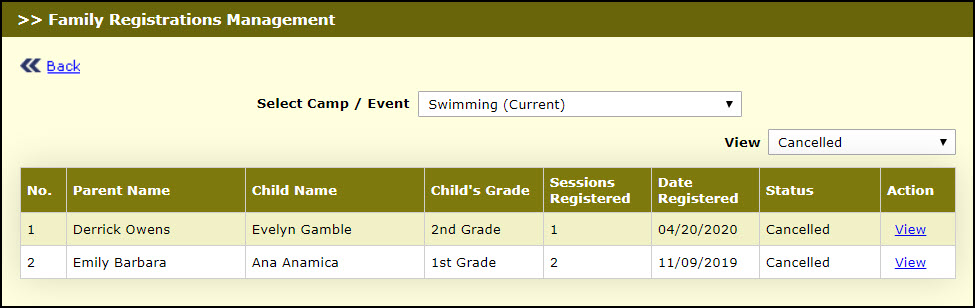
Family Registration Management Page
- Click View against the relevant family. Edit Parent-Child Information page 3 will be displayed:
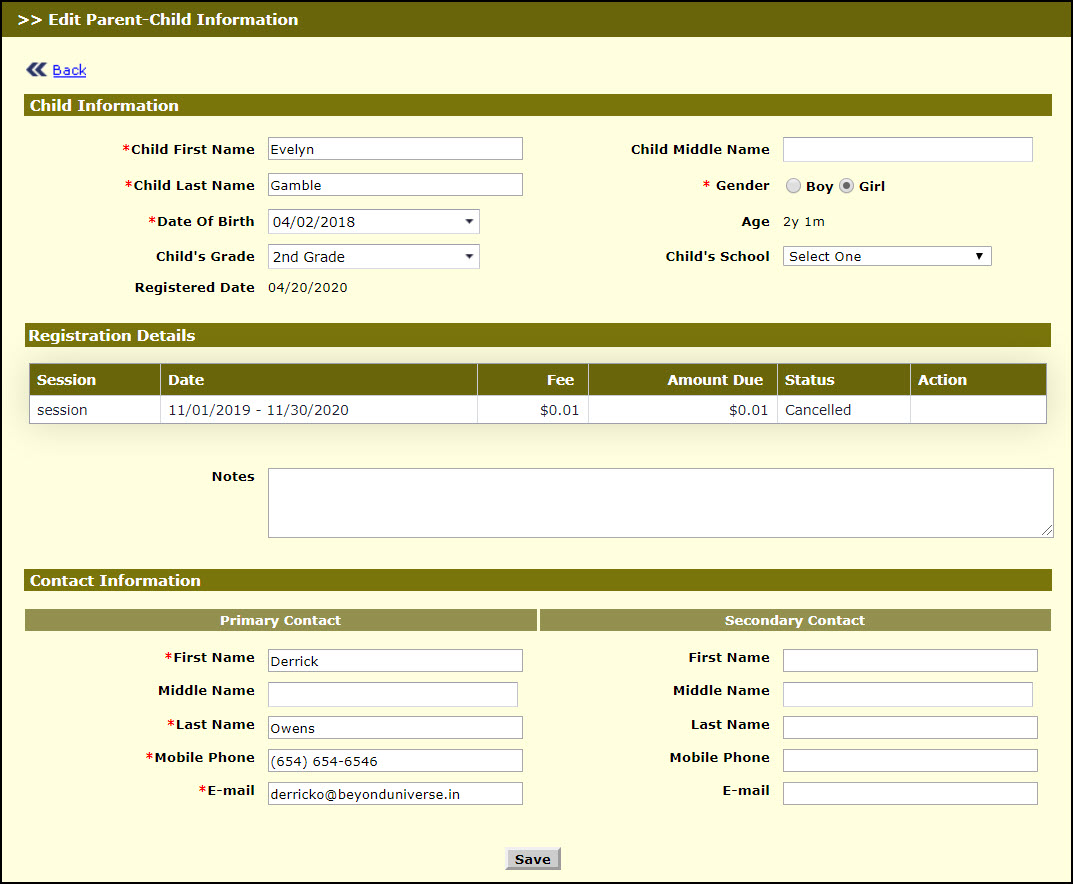
Edit Parent-Child Information Page 3
- Modify the required details.
- Enter notes if any in Notes.
- Click Save, to save record. The success message will be displayed for the record saved.